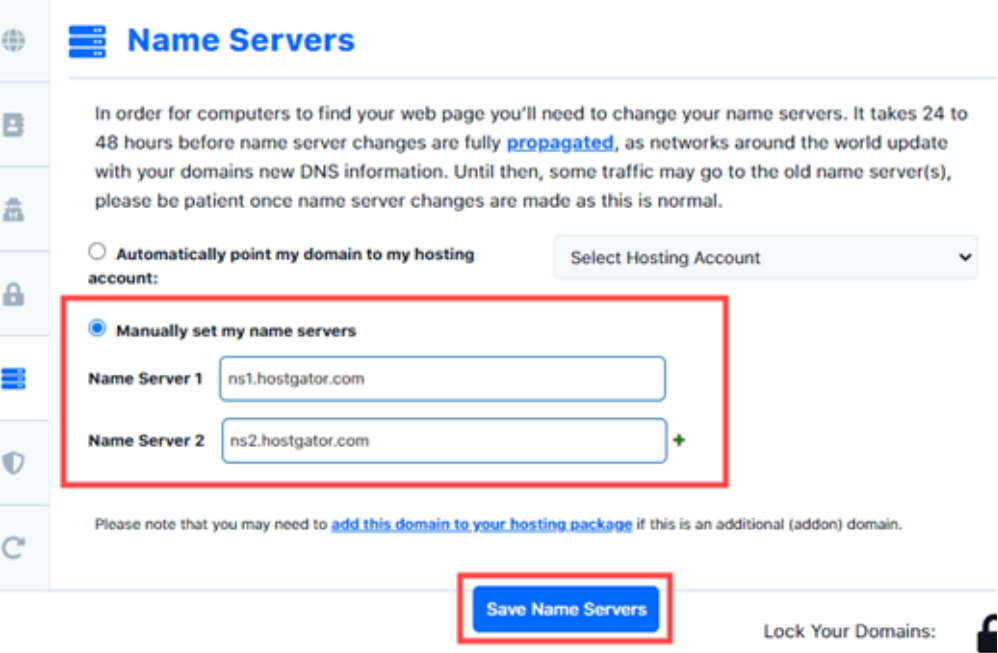
When managing websites for clients, a good step to have is to point their domain to our hosting or name server. This task can seem daunting to many clients, but with clear instructions and a bit of guidance, it can be a smooth process. Here’s how we can help our clients navigate this process, and what to do if they need additional support.
Understanding the Importance
Before diving into the technical details, it’s essential to explain why this step is ideal. Pointing their domain to our hosting or name server ensures superior performance and reliability for their websites. Hosting on our server will utilize optimized resources that can result to faster loading times and better user experience as well as reduce downtime.
Providing Clear Instructions
To help our clients update their DNS settings, we’ll need to provide specific information:
- Nameservers: Clients will update their nameservers to point to our hosting servers. This is the most preferred method of pointing
- A Record: This points the domain to ou[r IP address. Provide our hosting server’s IP address to the client. (This is requested from our CTO)
Nameservers: